What Is an AI Copilot? How It Works, Benefits, and Use Cases
Listen to this articleTap play to start listening

Introduction
All businesses get a constant flow of data inputs. They try to find relevant information among their email messages, files, spreadsheets, customer databases, chat applications, and other internal programs. Most of the day is spent gathering information, writing updates, generating reports, and performing repetitive tasks that fit a particular pattern.
An AI copilot is one solution to this issue. The AI acts as an assistant that helps employees gather information, perform tasks, generate content, and make decisions. The AI does not replace employees but assists them by taking care of all the repetitive tasks that eat up much of their time.
What Is an AI Copilot?
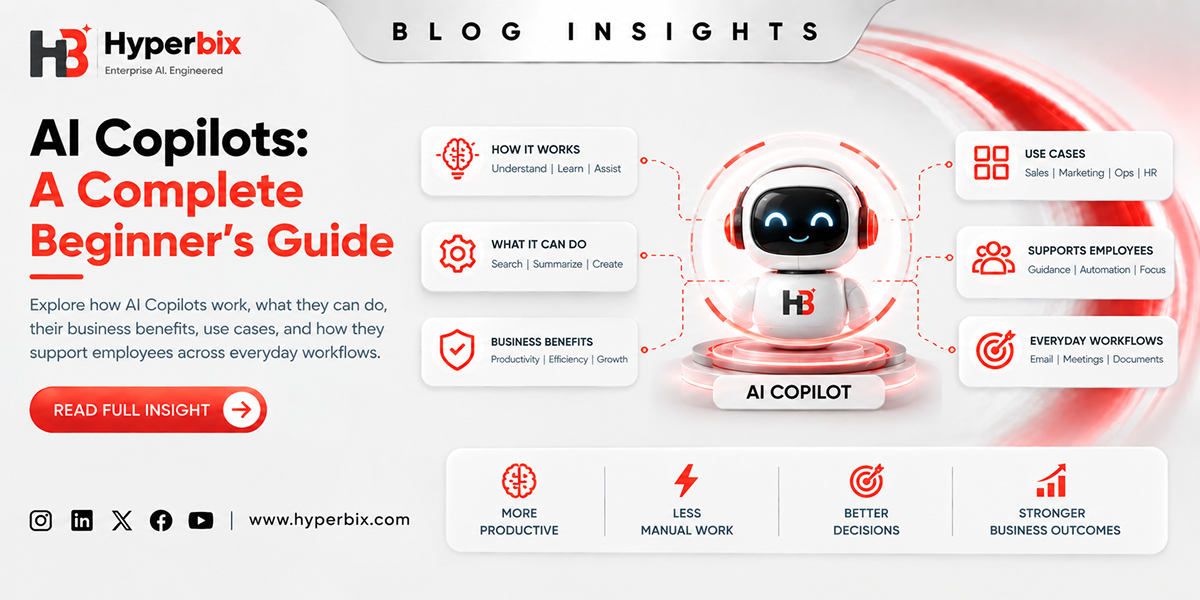
AI copilot can be defined as an assistant who works to help people in doing their work in the existing software and processes. It is capable of responding to any question and gathering necessary information through normal speech to provide the required answers, summaries, drafts, or proposals.
The purpose of an AI copilot is not to replace the employees but rather to help them. The tool eases their workload, helps them in researching information quickly, and helps in making decisions more quickly. By working with the employees in the software that they use daily, it helps organizations in increasing their productivity without losing control of important decisions.
How AI Copilots Differ From Traditional AI Tools?
Traditional AI tools usually perform one fixed job. A chatbot answers basic customer questions. A forecasting tool predicts demand. The grammar check tool enhances the quality of text. They are effective, but they often do not integrate seamlessly across the entire workflow.
An AI co-pilot is a more integrated solution that takes into account the intention behind the action request and supports multiple stages of the task. For instance, instead of providing just an abstract of the conversation with the client, it will identify their problem and provide a possible solution.
The difference comes down to support. Traditional AI software usually operates behind the scenes or as a separate application. The copilot of AI technology works alongside the user and helps him in the process. This is quite helpful for the groups that work on a day-to-day basis with information, communication, analysis, and decision making.
How Does an AI Copilot Work?
AI copilot looks like a straightforward technology from the surface, but there are several stages involved in processing each request made by the user. First, it understands the purpose of the request, identifies required information, generates the response and possibly helps in completing the action using available software applications.
Understanding User Intent
In response to any input from the user in terms of a question or request, the copilot figures out the intention, context, period, and desired output of the user. For instance, when a manager inquires about customer cancellations for the previous month, it pays more attention to the causes of cancellations.
Collecting and Processing Relevant Information
Then copilot finds the information related to the request using approved resources including documents, records of the company, customers, tickets, reports and any other software application. The system operates according to the permission policy; thus, the employees have access only to the information they are allowed to see.
Generating a Contextual Response
Once all relevant information is collected, the copilot provides a reply that is context-based. This reply might address a particular question, summarize the document, draft the letter, provide the explanation regarding trends, suggest further actions etc. The reply is created by using company-specific data and policies, thus, providing more relevant and accurate reply compared to general answer.
Taking Actions Through Connected Tools
Certain AI copilots can help in performing some actions via integrations with various business tools. Thus, they might assist in creating the meeting invitation, updating the customer information, assigning the support ticket, drafting the invoice, or notifying about the issue a particular team member. Typically, users review and approve the actions performed by copilot before they are executed.
Improving Through Feedback
AI copilots learn from user feedback. Thus, users might evaluate the replies, correct the drafts, identify gaps in the information provided. Businesses can utilize this feedback to update their knowledge sources, adjust their workflows etc.
Key Components of an AI Copilot
The main building blocks of an AI copilot are the technologies and systems that enable it to comprehend user's request, gather information, generate response and complete the task. They might be AI models, business data, APIs, memory, RAG and security controls.
Large Language Models
Large language models are the underlying language engines for AI copilots. They help the system comprehend user inputs and provide natural and coherent replies. LLMs can answer inquiries, summarize content, draft emails, and even describe information; however, the system requires company data and integrations in order to be effective.
Natural Language Processing
Natural language processing makes the copilot comprehend human language. This enables the system to detect intent, discern significant information, and provide a natural reply.
Context and Memory
Context helps an AI copilot understand the current task, selected document, recent conversation, user role, and relevant business details. Memory maintains continuity during a session, so if a user asks for a sales report and later says, “Explain the decline in the southern region,” the copilot knows which report they mean. This makes interactions more natural and helps users work more efficiently.
Sources of Business Data and Information
AI copilots use data sources like policies, customer information, reports, and project documents. They are useful in helping the copilot deliver relevant answers through the business context. The quality of the data directly affects the accuracy and relevance of the response.
Integration via APIs
Use of APIs connects the copilot with CRM, ERP, support tools, and other business applications. In doing so, it enables the copilot to access data and interact with connected systems. Consequently, it can help in tasks that go beyond simple conversations.
Retrieval-Augmented Generation
RAG fetches relevant data from the approved sources before delivering the answer. The mechanism ensures that the copilot gives responses that are informed by the current business data. For instance, RAG uses internal refund policy to give the right answer.
Security and Governance
Security mechanisms determine how the copilot accesses and uses the business information. There are mechanisms for access permissions, logging, privacy controls, and compliance. Businesses must define the actions that the copilot can do on its own.
What Can an AI Copilot Do?
An AI copilot can help users in performing various tasks like providing answers, summarizing information, generating content, analyzing data, and interacting with business systems. It depends on the tools, data and permissions it has access to.
Answers to Questions and Provision of Information
AI copilots give instant answers based on the information and systems that are allowed by business. An employee can ask any question regarding the policies, clients, project and even processes.
Summarization of Documentation and Conversations
Copilots can create a summary of meeting minutes, emails, report, calls and any long documents which will enable the employees to get instant information of the risks and the recommendations.
Generation and Improvement of Content
AI copilots can write emails, reports, proposals, product descriptions, and even the internal documents. It can improve the already created content for tone, length, audience, etc.
Analyze Business Data
The AI copilot allows employees to analyze business data without requiring any special skills in data processing. For example, a user can ask about the most successful products in the previous quarter, reasons for the rise in complaints, and what regions require more focus.
Automate Repetitive Tasks
A large number of business activities have a pattern to follow which include updating records, categorization, scheduling meetings, writing responses, gathering data, and reporting. There is scope for simplification or automation of some part of this activity using an AI copilot which leaves more time for other aspects like judgment, creativity, and networking.
Support Decision-Making
AI copilots facilitate decision making through the integration of all necessary information and presenting it to the user. They provide a summary of risk factors, comparisons, changes, and various outcomes. For instance, before making the decision regarding the price, a copilot may give a summary of customer feedback, sales figures, margins, and previous price changes.
Interact With Business Applications
Through the interaction of AI copilots with business systems, users can engage with applications in a seamless manner without switching back and forth. Copilot for Sales will gather information about customers, previous interactions with them, the summary of deals done, and suggest what should be the next action.
Benefits of AI Copilots for Businesses
Increase Employee Productivity: AI copilots increase productivity by saving time needed to search and by helping with such tasks as writing, summarizing, and organizing data. As a result, employees can dedicate more time to tasks that require human judgement.
Decrease Repetitive Manual Work: Copilots may help employees to perform such tasks as creating emails, generating reports, searching data, and transferring information between systems. This allows for more time to be spent on more valuable work.
Get Faster Access to Data: Most business data is stored in emails, reports, databases, and in internal systems. Using an AI copilot, employees can get access to relevant information quickly by asking natural-language queries.
Help Make Better Decisions: AI copilots may gather information from various sources, make a summary of this information, and help understand relevant trends. This provides useful information to be taken into account while making decisions.
Enhance Customer and Employee Experiences: Customer service personnel could utilize copilots to retrieve customer information faster and formulate relevant responses. Employees can also seek help by asking simple questions without going through numerous systems that are hard to understand.
Connect Knowledge Across Business Systems: Business knowledge could be distributed among CRM systems, support tools, documents, and many other applications. An integrated copilot would ensure all the relevant business information gets unified so that teams have an enhanced view of what they are doing.
Scale AI Assistance Across Teams: With an AI copilot in place, its capabilities could easily be tailored for various departments like sales, human resource, financial, support, and operational departments among others.
AI Copilot Use Cases Across Industries
AI copilots can help perform various business functions depending on the industry by helping its employees, customers and operation team. Examples of common applications of the copilot include customer support, sales, software engineering, human resource management, finance, healthcare, retail, and logistics.
Customer Service and Support
AI copilots are useful for assisting support staff in gathering policy information, summarizing customer information, making suggestions, and finding help articles. They can collate the details of an order and past interactions to assist the agent.
Sales and Marketing
Sales teams can use copilots for researching accounts, summarizing deals, creating meeting notes, and preparing follow-ups. Marketing teams can use copilots to brainstorm, analyze campaigns, and recycle content.
Software Development
Copilots for software development can assist with explaining code, making fixes, generating documentation, and creating test cases. Developers will be able to review the outputs while saving time on their coding work.
Human Resources
HR copilots can answer questions from employees, explain policies, assist with onboarding, and communicate within the company. They can use the available HR information to answer routine questions.
Finance and Accounting
Copilots for finance can help teams summarize reports, analyze changes in the budget, check expense reports, and detect unusual activity. They can provide an initial assessment of financial information.
Healthcare
Healthcare companies can leverage copilots for administrative purposes, documentation, information gathering, and policy inquiries. Such uses of copilot technology call for high levels of privacy, security, compliance, and professionalism.
Retail and eCommerce
Copilots can be used by retailers for analysis of sales patterns, customer sentiment summarization, product information creation, and inventory management. Copilots can synthesize information from multiple sources to aid teams in understanding product and customer trends.
Operations and Supply Chain
Copilots can be used by operations professionals for workflow monitoring, supplier correspondence summarization, delay identification, and report creation. Copilots can synthesize information from different systems to assist teams in addressing operational problems faster.
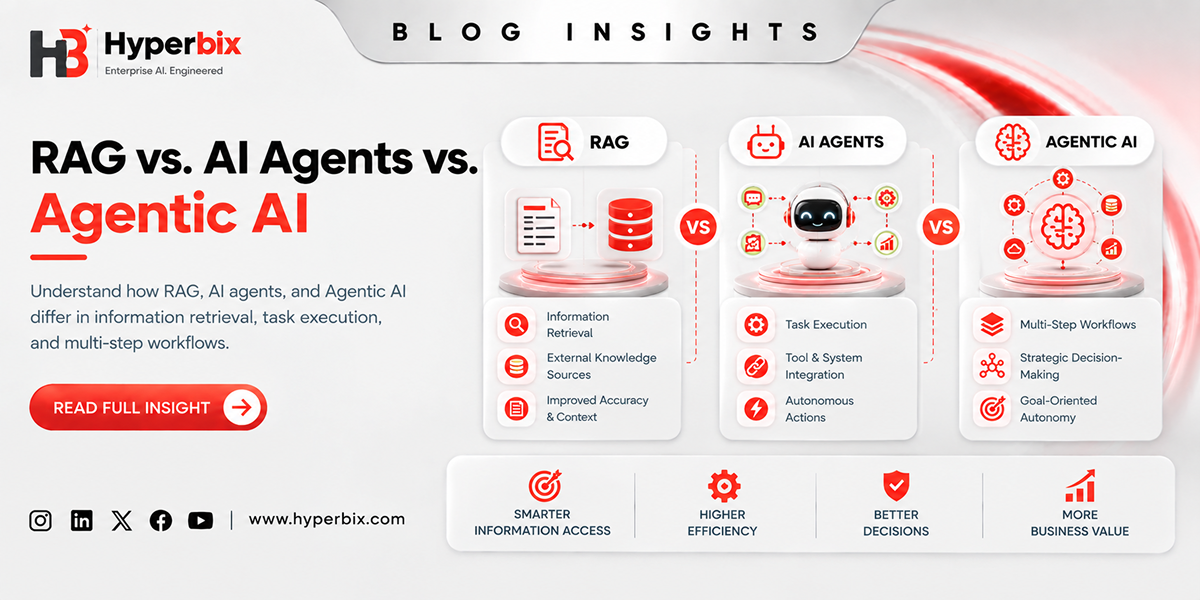
AI Copilot vs. AI Agent vs. Traditional Chatbots: What's the Difference?
Feature | Traditional Chatbot | AI Copilot | AI Agent |
Main purpose | Answer common or predefined questions | Assist people with tasks and workflows | Work toward a defined goal |
Interaction | Usually conversational | Conversational and context-aware | Often goal-oriented |
Business data | Limited or connected knowledge | Usually connected to relevant data | Often works with multiple data sources |
Actions | Usually limited | Can perform actions through integrations | Can execute multiple steps |
Human involvement | Direct interaction | Human remains actively involved | May operate with greater autonomy |
Typical use | FAQs and basic support | Employee and customer assistance | Multi-step workflow automation |
What Are the Limitations of AI Copilots?
Accuracy Issues and Hallucination: AI copilots may cause inappropriate replies because of lack of knowledge or misunderstandings of the instructions. In the important fields like finance, health care, laws, and customer contact, human presence becomes inevitable.
Privacy Problems Associated With Data: The copilots require access to confidential business information to accomplish their work. Businesses need to restrict access to information, user privileges, storage, and processing of the data.
Difficulties with Integration: It might be difficult to integrate the copilot into existing business processes where applications are obsolete, incompatible, and use different data structures. Proper integration will help to ensure that the copilot accesses only the information needed.
Security Risks: Poorly designed AI systems could lead to disclosure of confidential information or unsafe activity. Factors like authentication, roles and access control, approval, auditing, and monitoring can assist in reducing these risks.
Dependency on Data Quality: Copilots rely on data quality in terms of how their answers will be formed. This means that any outdated, redundant, or inconsistent data may impact the answer quality.
Necessity of Human Oversight: AI copilots must work in order to assist humans in decision-making and not replace it. It is especially important in case answers impact customers, workers, money flow, regulations, safety, or company reputation.
Best Practices for Implementing an AI Copilot
To deploy an AI copilot one needs to select a particular application, integrate sources of information, ensure confidentiality of data, and have humans supervise the process. A well-planned AI copilot development approach should also include continuous performance monitoring and improvements based on user feedback.
Start With a Business Case
A successful AI copilot starts with addressing one specific business challenge. Rather than automating everything at once, businesses need to select a workflow that is repetitive, takes time to do, and is crucial for the team.
Control the Decision-Making Process
It is important for businesses to decide what actions the copilot can perform on its own and which require human approval. It is acceptable to send an internal message automatically, while updates to customer profiles or refund approvals may have to be performed manually.
Protect Business Information
Security aspects must be integrated into the copilot solution development process. Businesses need to implement role-based access control, information restrictions, audit log keeping, and other security considerations. Moreover, employees should know what information can be shared with the copilot and how their information is processed.
Grounded Answers in Trusted Data
The copilot should be fed information from business-approved data sources instead of being fed generic AI data. This will make sure that answers to inquiries come from up-to-date business sources. This way, the answers will contain information relevant to the business.
Monitor the Copilot Performance
After implementation, businesses need to monitor its performance through tracking how it works, response quality, customer satisfaction, and common problem areas. They need to identify questions that cannot be answered well by the copilot, gaps in knowledge base, and flawed workflows. Regular monitoring will help keep the copilot useful in changing business environment.
Update the Copilot Using User Feedback
User feedback is one of the most effective means of updating an AI copilot. Users can point out incorrect responses, gaps in information, unclear answers, or useful suggestions. Businesses need to make it easy to give such feedback and apply it when updating knowledge base, prompts, workflows, and integrations.
What Is the Future of AI Copilots?
Future perspectives of the AI copilot will be the increase of personalization, integration into the system, being multimodal, working together with other AI agents, and proactivity.
Personalized AI Assistance
The copilot AI will cater to user roles, preferences, and working styles more precisely. Thus, the assistance provided by it will be relevant to certain tasks. Privacy controls will be essential as AI copilots become more personalized.
Integration With Business Software
The copilots of the future will be more integrated into business software. It will be easier for workers to perform tasks and get access to information across the systems. Thus, the use of AI copilot assistance will become more natural to users.
Multimodal AI Copilots
AI copilots will use text, images, documents, voice, videos, and other modes of data for assistance. Users will have access to copilots in varying forms depending upon their requirements. The use of AI will become more flexible for business-related purposes.
Cooperation between Copilots and AI Agents
There will be cooperation between copilots and AI agents in carrying out business tasks. A copilot will assist users in comprehending an issue and taking steps accordingly, while the agent executes the required tasks. This may lead to a better-coordinated system.
Proactive Assistance at the Workplace
In the future, copilots will not just answer questions but give more proactive assistance. Copilots might detect problems, changes, and other things and alert users about them. This may assist the team to address the problems at an early stage.
Conclusion
A copilot AI assistant is a practical tool which helps users perform tasks more efficiently in their current working environment. This is an AI assistant which understands requests made in natural language, integrates into business processes, accesses business data, generates valuable output and assists users in performing actions in integrated systems.
The real value of using AI copilots in a company is in the possibility of making repetitive actions less time-consuming, having the opportunity to access data, make decisions faster and be more productive. Nevertheless, this system requires not only choosing the right AI model. Working with an experienced AI development company can help businesses plan the right data, secure integrations, governance, human supervision, and ongoing improvements.
The most intelligent approach is to start with one specific use case, see how it performs and then gradually build on it. When implemented correctly, an AI copilot will do much more than just help through the chat window.
Blog FAQs
Frequently Asked
Questions
AI Copilot is an AI-driven copilot which works with employees to assist them in finding information, creating content, completing tasks, analyzing information, and making decisions within their current processes.
AI Copilot understands the intention of the user, gathers information from the sources, generates responses, and even performs certain actions using connected business software. The user's feedback may help in improving AI Copilot's performance as well.
AI Copilot can answer questions, summarize information, create content, analyze business data, automate tasks, assist in making decisions, and work with connected business applications.
AI Copilots utilize such capabilities as large language models, natural language processing, context and memory, business data sources, APIs, retrieval-augmented generation, and security and governance controls.
AI Copilots can help in improving productivity of employees, reducing repetitive tasks, providing quick access to information, decision-making, improving experiences of customers and employees, and connecting business knowledge systems.
AI Copilots can help in customer service, sales and marketing, software development, human resources, finance and accounting, healthcare, retail and eCommerce, and operations and supply chain areas.
The AI Copilot is meant to help people with different tasks and processes while involving humans in an active process. The AI Agent is usually made to work on a certain goal and perform multiple steps independently from humans.
The main challenges that can appear in relation to AI Copilots can be inaccurate answers, data privacy problems, difficulties in integrating into the system, security issues, data quality problems, and need for human supervision.
Businesses need to start from a particular use case, define when human intervention is needed, protect their data, link the Copilot to reliable data sources, control its performance, and continue to optimize it with help of user feedback.
In the future, AI Copilots are going to become more personalized, deeply integrated into business software, multimodal, collaborating with AI agents, and helping humans at work.