What Is Workflow Automation? A Complete Guide for Businesses
Listen to this articleTap play to start listening

Introduction
Each business performs many routine processes on a daily basis, including approval of documents, processing of customer inquiries, record keeping, and notification of users. These processes taking place manually result in delays, errors in data entry and lower productivity of the employees.
Workflow automation is what allows companies to automate all these processes by making use of software to automate task flow through predetermined stages, applying rules, assigning accountability and performing some specific actions. Depending on the process, workflow automation is able to link up different business applications, notify people and update data without any involvement of the employees in every step manually.
The knowledge of workflow automation will help businesses to recognize redundant activities, coordinate activities, and utilize the available technology efficiently. Businesses exploring ways to address their operational needs can review AI development services to understand potential technology solutions.
What Is Workflow Automation?
Workflow Automation is defined as the use of software to carry out repeatable tasks and to control a number of tasks based on certain conditions and criteria. It becomes possible for organizations to do this while making the process efficient, reducing errors and saving time in doing so.
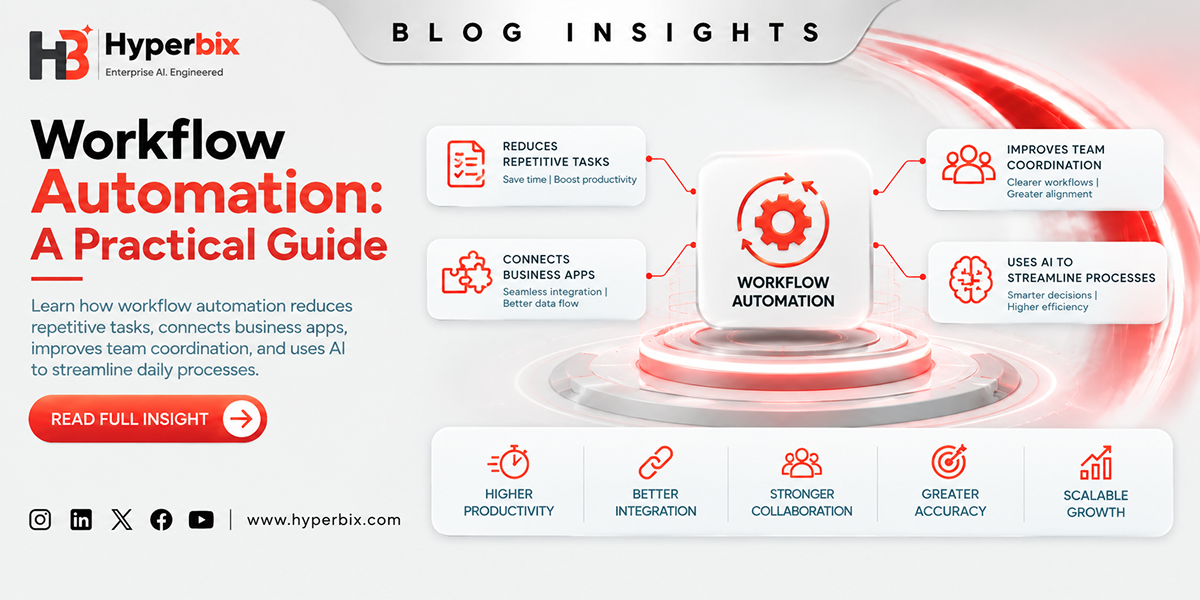
It can be applied for different uses such as employee approval, invoice payment, customer notifications, and data entry. Workflow automation links several programs and automates repetitive actions in order to streamline the process for employees to concentrate on more important issues.
How Does Workflow Automation Work?
Workflow automation begins by selecting the process and understanding the flow of work in it. Then, this can be implemented using an automated workflow system that enables the creation of processes that are event-driven, situation assessment based on certain rules, and actions taken.
Triggers: Events that initiate the workflow. For instance, a customer can submit a form at the company’s website, an invoice come into the email address of the company’s accountant, new employees are hired, or a new record is added to an application.
Rules and conditions: The system uses them to evaluate the situation and determine the possible actions. For example, a request for expenses can be submitted to different managers depending on the type of costs and the company’s approval policy.
Task assignment: The system directs each task to the appropriate employee, team, or application for the next step in the workflow.
Automated actions: The workflow will undertake some pre-defined actions like database update, notification, logging, or data transfer between interconnected systems.
Approval: In case of any approvals needed, the workflow stops waiting for a person having the right to approve the data.
Completion and monitoring: Once the required actions are completed, the results of the process are stored. With the help of monitoring, teams are able to identify delays, failures, and uncompleted actions.
Key Components of Workflow Automation
Some of the important elements that are used by an effective workflow automation system include the following:
Workflow engine: The workflow engine controls the process and carries out the necessary steps by deciding which steps come next. In essence, the workflow engine is the basis upon which workflows can be executed as per the process logic.
Business rules and decision logic: Rules govern how workflows will react to specific situations. For instance, a purchase request could be subject to approval by the department manager or further approval according to the firm's policies.
Data management: Workflow automation is dependent on data. The data management element ensures that the right data such as customer information, transactions, employee information, among others, is available when needed.
Integrations and APIs: Integrations are the connections that link workflow automation software to business applications like CRM systems, ERP software, databases, and communications software. APIs allow the software to share data and minimize manual data transfer between them.
User roles and access controls: These elements determine which people have access to certain information, perform particular tasks, approve requests, and change workflow settings. Proper permission allows the protection of sensitive information and accountability.
Monitoring, reporting, and error handling: Monitoring capabilities allow companies to assess workflow performance, find out about errors and delays. Errors are handled through alerts to the respective team or logging of exceptions.
Types of Workflow Automation
Classification of workflow automation is done based on the way the task is triggered, the method used for making decisions, and the level of human participation involved.
Rule-Based Workflow Automation
Rule-based workflow automation follows predefined rules and conditions to determine how tasks are processed. For instance, a request can be directed to the billing team when the customer has selected the billing category. This kind of workflow is helpful when there is an expected outcome and clear condition in the process.
Approval-Based Workflow Automation
Approval-based workflow automation deals with processes that need authorization at certain points. Common use cases include leave requests, purchase approvals, expense claims, and document review and approval. The process directs the request to the decision makers and receives their feedback.
Document-Based Workflow Automation
The document-based workflow automation takes care of the document flow. It helps to manage contract approval, invoice routing, form processing, and document approval. Some of the software may use optical character recognition.
Integration-Based Workflow Automation
Integration-based workflow automation integrates several applications for the purpose of exchanging data between them. For instance, when an order is completed on the website, there might be an update recorded in the inventory management system and an entry created in the accounting system.
Event-Driven Workflow Automation
Event-driven workflow automation involves performing some actions based on the occurrence of some event. The receipt of payment, a change in client's status, or any other entry into the database might prompt the start of the next process.
AI-Driven Workflow Automation
AI-driven workflow automation relies on artificial intelligence in performing any task which has to do with any of unstructured data, classifications, contents creation, and decision making. For instance, artificial intelligence can classify a customer inquiry received before assigning it to the relevant department using workflows.
Which Business Processes Can Be Automated with Workflow Automation?
Workflow automation can be applied across various business operations, particularly those involving repetitive tasks, rule-based processes, frequent information exchange, and predictable handoffs.
Human Resources: Human Resources professionals could automate the procedure of recruiting, leaves, interviews, documents collection and internal policy acknowledgment. The workflow for a new employee would organize the requests for accounts, trainings and all kinds of documentation from different departments.
Sales and Marketing: Workflows could be used for lead generation, updates of CRM, assignment of leads and their follow-up and organizing campaigns. In this way, workflows help streamline and manage inquiries efficiently.
Customer Service: Customer service workflows could classify customer requests, open the tickets, assign them to proper employees and escalate them according to the rules.
Finance and Accounting: Workflow automation in finance and accounting could include such activities as invoices routing, approvals of expenses, payment reminders, requests for purchases and tasks related to reconciliation. There must be a proper authorization and auditing involved in financial workflows.
Operations and supply chain: The companies can automate the processes such as purchase order, receipt of inventory reminders, supplier notifications, order processing, and assignment of tasks within the company. For instance, the stock reminder alerts can be set to remind the company of the need to reorder or clear some stock.
Document and contract management: The processes might include reviewing documents, tracking approval status of the documents, reminders, and storage of the approved documents in the system.
What Is the Difference Between Workflow Automation and Business Process Automation?
Workflow automation allows for a process of steps to take place between human beings and systems based on certain pre-defined conditions. In other words, an invoice may be automatically forwarded to the supervisor before being forwarded to the finance department.
Business process automation involves processes that extend further than workflow processes, such as multiple workflows, applications, and departments. An example is the Purchase to Pay Process.
Comparison factor | Workflow automation | Business process automation (BPA) |
Primary focus | Coordinating a sequence of tasks | Automating or improving a broader business process |
Typical scope | A specific workflow or series of handoffs | Multiple connected workflows and activities |
Main objective | Move work between steps consistently | Improve the overall process across systems or departments |
Example | Routing an invoice for approval | Automating the broader purchase-to-payment process |
Implementation | Often starts with an individual workflow | May require coordination across several workflows and systems |
Key Benefits of Workflow Automation for Businesses
Work flow automation may be effective in improving the way work is structured, done, and controlled. The success of work flow automation, however, depends on the quality of the work flow, the software, and employee acceptance.
Manual work reduced: Workflow automation performs all those repetitive jobs which include data entry, notifications, task assignments, and updates which allow employees to concentrate on other important tasks.
Increased process consistency: The automated processes follow pre-set rules which make it possible for companies to have consistency in their processes.
Reduced errors: Automated transfer and data validation reduces the errors which occur because of repetitive manual work. However, having the right data and rules is necessary.
Increased visibility: The workflow process allows employees and management to monitor the process and know where the delay occurs and who should perform the next job.
Increased team coordination: Automated task assignments and notification helps in coordinating the tasks of the team.
Common Challenges of Workflow Automation
Even though workflow automation can simplify tasks and processes for organizations, improper implementation of automation might cause various problems.
Unclear or inefficient processes: If a poorly designed process is automated, then it will replicate the inefficiencies in the process. First, businesses must understand the process and make it more efficient.
Integration challenges: The different applications that are used for automation might have incompatible formats of storing data, APIs limitations, and permissions to access the information. It is important to plan and test the integration.
Poor data quality: Incomplete, duplicated, or inaccurate data can disrupt information flow and lead to incorrect actions. Implementing data validation procedures and establishing clear data ownership can help minimize these issues.
Employees' adoption: The employees can refuse to use the workflow because they do not understand it or because the workflow complicates their job. Employee communication and training can help address these challenges effectively.
Security and privacy risks: Automated workflows may process sensitive information, including employee and customer data, financial records, and other confidential organizational information.
How Does AI Improve Workflow Automation?
With the help of AI, it is possible to automate workflows and help businesses to process information that exceeds predefined rules of working with the information provided by the client. AI can analyze customer queries, comprehend the customer’s messages, extract information from the document, generate summary, and suggest actions to be taken.
When a customer raises an inquiry, through AI a business firm can comprehend his intentions and suggest the appropriate department that will handle the query. The workflow automation system will be able to assign request, update the CRM, and alert relevant team. Below is a list of the methods of using AI in the automation of workflows:
* Document management - extraction of data from invoices, forms, and legal agreements.
* Content creation - composing messages, summaries, and reports.
* Task prioritization - Assisting the team in identifying requests that require attention.
* Decision support - Recommending actions based on available information.
But the information provided by AI technologies might not be precise, so validation of data becomes a necessity. Thus, combining predefined workflow rules and the AI technologies make companies have more control over automation of routine activities.
What Is the Future of Workflow Automation?
The concept of workflow automation is progressing from mere task routing to more interconnected, data-driven, and AI-enabled business processes. In the case when cloud applications, integration technologies, and AI capabilities are used in an organization, workflows will be able to orchestrate activities between various applications instead of being standalone procedures.
Task Processing With AI
AI is able to analyze text, read documents, and understand the request. Thus, certain tasks can be automated by AI instead of performing them manually.
Adaptive Workflows
A workflow can rely on available data and predefined logic to choose proper actions. Such workflows should be tested and monitored to be effective.
Improved Governance and Security
Organizations need certain governance, security mechanisms, and control as automation capabilities grow. Some decisions still require human review and approval.
AI Agents to Accomplish Multistep Processes
AI agents may work to perform tasks through appropriate tools and systems. With appropriate permissions and oversight by humans, there will be a lower risk of unintended consequences.
Cooperation of Humans and Automated Processes
Workflow automation decreases the repetitive work and allows employees to make decisions. Cooperation of human skills and technologies helps to conduct business responsibly.
How Hyperbix Can Help Businesses Get Started with Workflow Automation?
Efficiently automating a business process requires knowing challenges faced by an organization, the current state of its processes and technology. Choosing the right approach helps businesses streamline processes and achieve meaningful improvements.
Hyperbix offers services for exploring the options of AI development and business-related technologies according to specific business needs. Based on the scope of the project, this could include automation, integration of applications, use of AI, and other tasks. This process may begin with conducting such activities as:
* Find out Business Needs: Search for repetitive tasks, time wastage, and coordination problems.
* Discover Current Process: Analyze the workflow steps, business rules, and systems that work within them.
* Choosing the Right Way to Proceed: Study the workflow platform, RPA, AI-driven automation, and development.
Describe Data Flow, Permissions, Validation, and Approval. Test the Workflow and Monitor Its Performance. The best approach depends on the business process, available technology, data requirements, and overall goals.
Conclusion
Workflow automation allows companies to cut down on redundancy, coordination, and integration among processes. However, in order to be successful through the use of this tool, you will need to do more than implement workflow automation process. You will have to set up goals for your project, collect the needed data, integrate the data, and evaluate its performance.
Using AI and workflow automation together along with human management, organizations can optimize their workflows and stay in control of everything they do. Here, the next step that you need to take would be identifying the places in your business where inefficient manual processes affect its performance. Here, you will first need to define your business goal and then pick an automation process for that goal.
Blog FAQs
Frequently Asked
Questions
Workflow automation refers to the use of software that manages repetitive tasks and coordination of activities according to set criteria and conditions. This tool allows companies to simplify their processes, minimize mistakes and improve collaboration between employees.
Workflow automation happens when the trigger initiates the process. The system uses the set criteria, task allocation, automated actions, approval request in case it is required, and monitoring of the process until its completion.
Examples include hiring an employee, approving an invoice, customer inquiry handling, customer relationship management, managing holidays, purchasing approval, document management, and sending notifications.
Companies can automate any processes from the areas of Human Resources, sales, marketing, customer service, finance, accounting, Information Technologies, supply chain management, and document management. Processes with set rules and predictable sequence of actions can be a good start point for workflow automation.
Main advantages include elimination of manual tasks, improvement of process consistency, minimization of repetitive mistakes, increase of process visibility, and better collaboration between teams.
Workflows are automated through their coordination and management according to a particular order of tasks, while BPA automates broad business processes that may comprise several workflows, departments, and even applications.
In regard to workflow automation, AI contributes to the interpretation of clients' letters, document analysis, request classification, content summarization, as well as to suggesting the actions to take. The combination of workflow rules, AI and human participation enables companies to automate complex activities.
Problems may emerge because of ineffective processes, problems with implementation and integration, poor data quality, employee adoption of technologies, and security/privacy concerns. Adequate planning, testing, training, and access control solve these issues.
A company must identify repetitive processes that are time-consuming or delay the operations of a business. It is also important to assess process stability, data quality, integration needs, its impact on the company, and the necessity for human involvement when choosing a workflow.
Adaptive workflows assisted by AI will be in the forefront of workflow automation in the future. People will work together with technological tools, as well as continue to develop automation processes that would be secure and reliable.